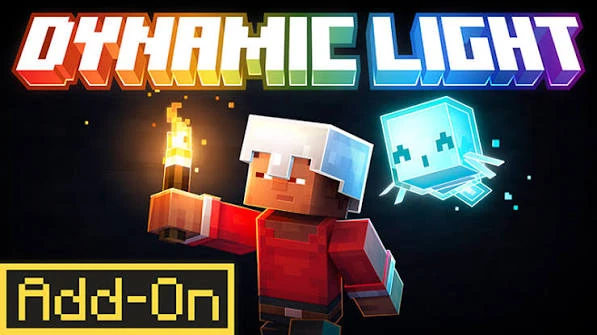
Dynamic Lights Mod is built around one practical idea: a supported light source should be able to illuminate the world even when it is not permanently placed as a block. That changes how lighting feels during exploration because the source can travel with the player, move as an item entity, or remain active through supported equipped items.
The current download on this website is the 26.2.1NF NeoForge JAR for Minecraft 26.2. The features described here explain the behavior of the mod itself rather than promising that every Minecraft item will glow automatically.
Held-item lighting
Held-item lighting is the feature most players notice first. When a supported shining item is carried in hand, nearby blocks can be illuminated as the player moves. This is useful in caves, tunnels, unfinished builds, and any other area where stopping to place a permanent light every few blocks would interrupt movement.
The light follows the supported source rather than becoming a permanent change to the map. When the item moves away, the dynamic illumination updates with it. This is why the effect feels different from a placed torch or lantern, which remains tied to one location.
Dropped-item lighting
Supported dropped items can continue to act as light sources while they exist on the ground. This creates practical options beyond simply carrying an item. A dropped shining item can temporarily mark a dark spot, help you see around a work area, or provide a visible reference while you move nearby.
Dropped-item lighting is still dynamic. The item entity can move, be picked up, or disappear according to normal game behavior, and the lighting changes with that state. It should not be treated as a replacement for permanent lighting when you need a location to remain lit for long periods.
Equipped and armor lighting
The mod can support shining items in equipment or armor-related positions when those items are configured or recognized for that behavior. This lets lighting come from more than the active hand. The exact result depends on the supported item and configuration, so use a known working item when testing the feature for the first time.
If an equipped item is not producing light, compare it with a known supported held item. That tells you whether the core mod is active before you investigate the specific equipment entry.
Configurable shining items
One of the most useful features is the ability to add item identifiers to the shining-item configuration. This can extend the concept of dynamic lighting to additional items in a modded setup. Configuration should be approached carefully because an incorrect identifier or an item with unexpected behavior can make troubleshooting more difficult.
Add one item at a time, keep a copy of the last working configuration, and test in a dark area. If the new item fails while default supported items still work, focus on the new configuration entry rather than reinstalling the mod.
Moving light updates
Dynamic lighting has to update as the source changes position. That moving behavior is what makes the mod useful, but it also means the game performs repeated lighting work that static light sources do not need. The practical impact depends on how many dynamic lights are active and what else the modded game is doing.
For normal testing, begin with one or two sources. If you deliberately create a scene with many moving shining items, treat that as a heavier workload and compare performance before deciding that a general installation problem exists.
Water and environmental behavior
Lighting behavior around water or unusual block states can have limits because dynamic light calculations have to interact with the way the game represents those spaces. The website’s troubleshooting content treats these as behavior details rather than assuming every partial block or fluid situation will look identical.
When an effect looks unusual in one specific environment, repeat the test in open air and with a simple full block area. A clean comparison helps separate a general mod problem from a special-case visual interaction.
Where the features are most useful
- Cave exploration: keep a supported light source with you while moving through dark passages.
- Building at night: use portable light while working around an unfinished structure.
- Temporary markers: use supported dropped items as short-term light points.
- Modded items: configure additional shining items when your setup needs them.
What to expect realistically
Dynamic Lights Mod is not a shader pack and it is not a complete rewrite of Minecraft rendering. Its purpose is dynamic illumination from supported moving sources. Visual style still depends on Minecraft itself and on any other rendering tools in the profile.
The best way to evaluate the mod is to test its core features directly: held lighting, dropped-item lighting, supported equipment behavior, and configurable shining items. When those features work with the correct Minecraft 26.2 NeoForge setup, you have the intended portable-lighting experience the mod is designed to provide.