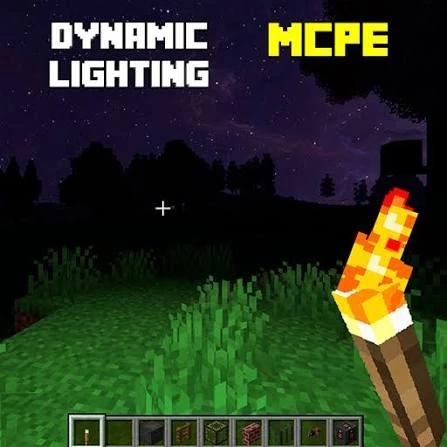
Dynamic Lights Mod is most useful when you treat portable lighting as a tool rather than a replacement for every normal light source. The mod lets supported shining items illuminate nearby areas while they move, which can make exploration and temporary work areas more convenient.
The direct file used on this website is the 26.2.1NF NeoForge JAR for Minecraft 26.2. Once the installation works, the following habits can make everyday use clearer, more efficient, and easier to troubleshoot.
Use portable light for cave movement
Caves are a natural place to use dynamic lighting because the player is constantly moving through dark space. Carry a supported shining item while exploring so the nearby area remains visible without placing a permanent source every few steps.
Keep permanent lighting for places you need to mark or secure long-term. Dynamic light is excellent for seeing while moving, while placed lights are still useful for route marking and areas you want to remain illuminated after you leave.
Use it during night building
When building outside at night or inside an unfinished structure, portable lighting can reduce the need to place temporary torches everywhere. Keep a supported source with you while working, then place normal lights where they belong in the final design.
This approach keeps the build visually cleaner during construction while preserving intentional permanent lighting when the structure is finished.
Use dropped lights as temporary markers
A supported dropped item can provide temporary illumination on the ground. That can be useful when checking a small area, comparing block colors, or marking a place while you move a short distance away.
Remember that dropped items are entities, not permanent light blocks. They can be picked up and are subject to normal item behavior, so do not rely on them as long-term markers for important locations.
Test one lighting state at a time
When checking whether an item works, first test it in hand. Then test it after dropping it. If relevant to your setup, test equipped behavior separately. Keeping the tests separate makes it obvious which state behaves differently.
A dark, simple room is better for testing than a bright base filled with many light blocks. The stronger the contrast, the easier it is to see whether dynamic lighting is active.
Keep custom-item configuration organized
If you add custom shining items, keep a short note of each identifier you add. Make one change, test it, then move to the next. This prevents a long configuration list from becoming a mystery when one entry is incorrect.
Keep a copy of the last known-good configuration. If an edit creates unexpected behavior, restoring that file is faster than trying to remember every previous value.
Name profiles clearly
If you use several Minecraft versions or loaders, give profiles descriptive names such as “26.2 NeoForge Dynamic Lights.” Clear names reduce the chance of placing the JAR in one instance and launching another. They also make screenshots and troubleshooting notes easier to understand later.
When updating, create a new profile rather than immediately overwriting the known-good one. Keep the old setup until the new version launches and passes a simple lighting test.
Keep the number of moving lights reasonable
Every moving dynamic source can require lighting updates. In normal play this may be fine, but a scene with many active moving lights can create more work. If performance changes, reduce the number of active sources and compare the same area again.
Make performance comparisons under similar conditions. Changing render distance, shaders, several mods, and the number of lights at the same time makes the result difficult to interpret.
Keep short troubleshooting notes
If a problem appears, write down the Minecraft version, NeoForge version, Dynamic Lights Mod filename, the item being tested, and any rendering changes that are active. A few accurate details are more useful than repeatedly reinstalling files without knowing what changed.
Use a clean profile when necessary. If the mod works there, add the rest of your normal setup back gradually. This is one of the fastest ways to identify an interaction.
Everyday-use checklist
- Carry dynamic light for movement; use placed light for permanent locations.
- Test held and dropped behavior separately.
- Keep custom shining-item entries small and documented.
- Use clear profile names and keep the 26.2 NeoForge combination aligned.
- Reduce moving light sources when comparing performance.
- Maintain a known-good profile before major updates.
Dynamic Lights Mod works best when it supports the way you already play. Use it for portable visibility, temporary light, and modded-item flexibility, while keeping permanent lighting and careful version management as part of a stable Minecraft setup.